Custom fields not resetting when changing lists.
I’m trialing Save to ClickUp and ran into an issue when letting Neuro Decide list to add task to. Let me know if you need any additional info. Thanks!
In Gmail, choose “Let Neuro Decide”
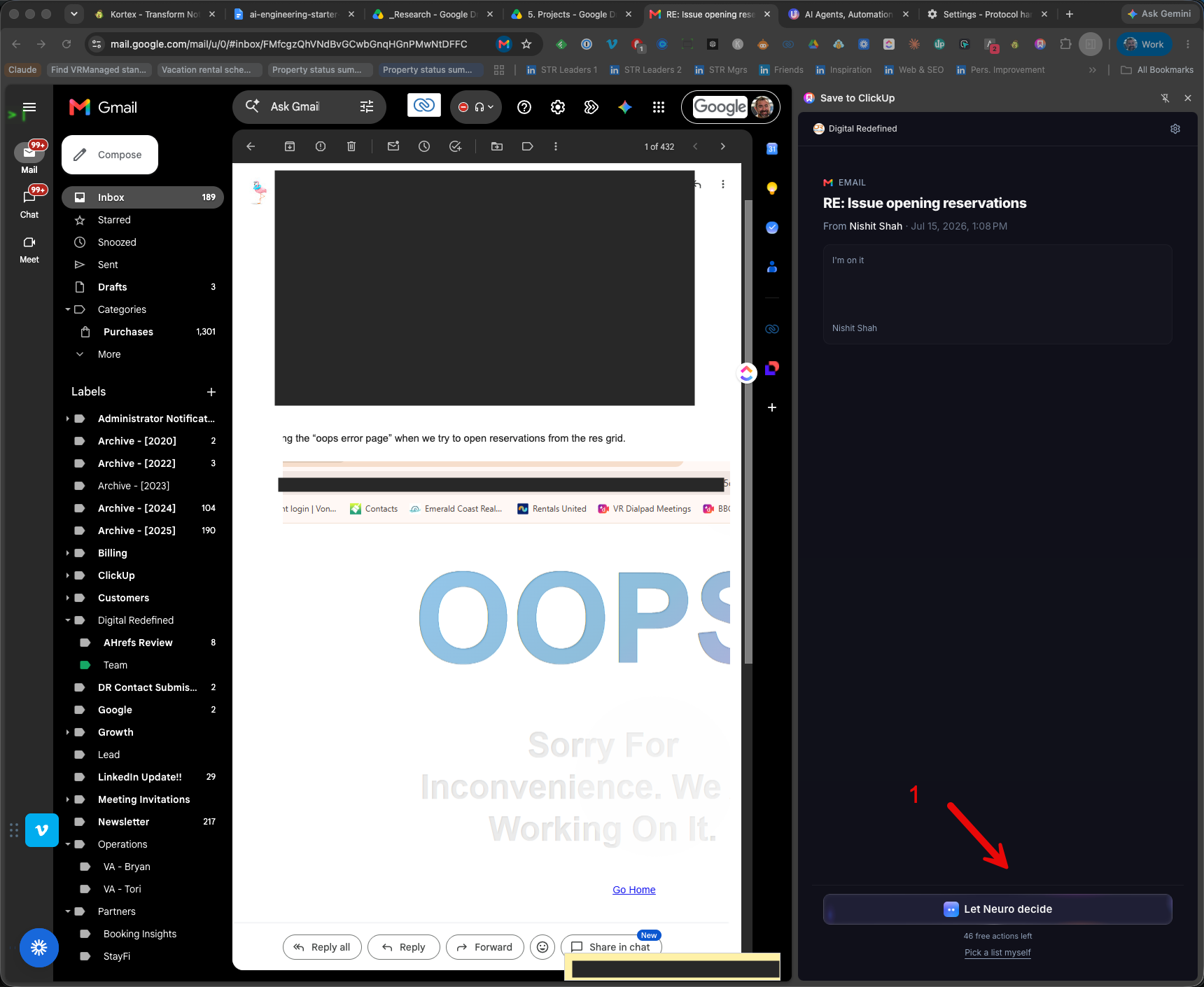
Task is drafted, incorrect destination
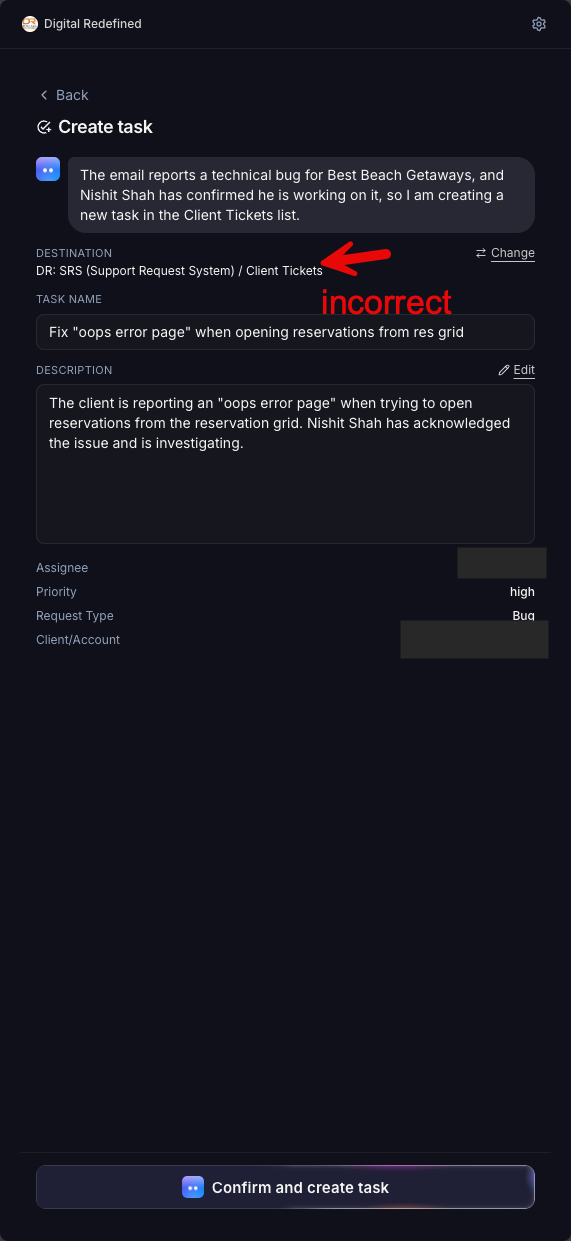
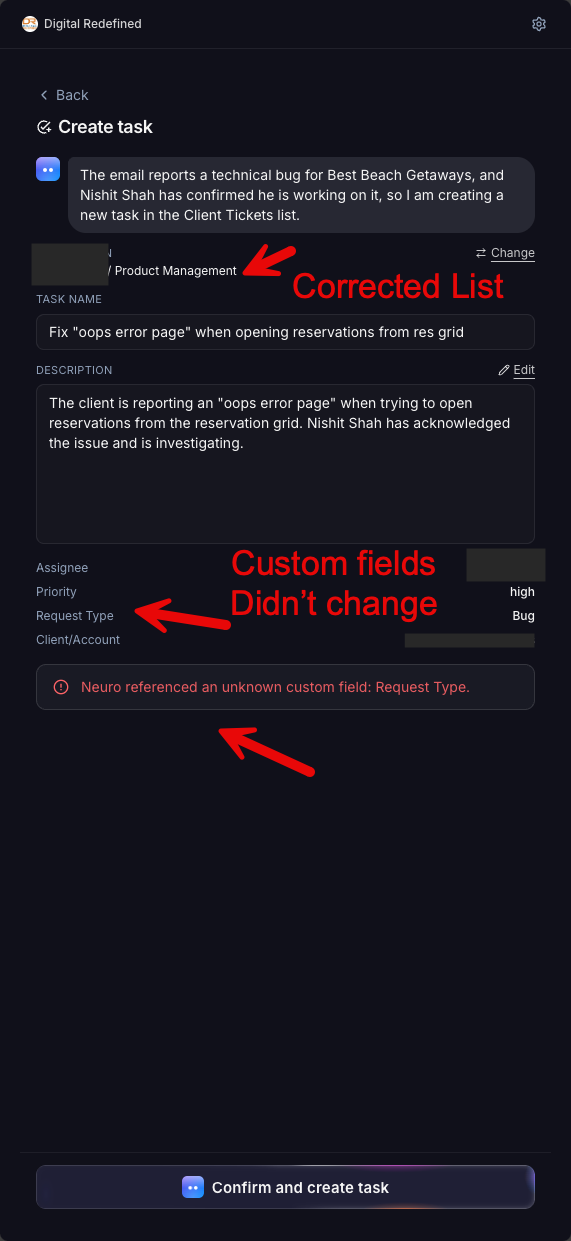
Changed list, tried to confirm and create
Log in to comment and vote
Comments1
Ramzi
Jul 15
Hi Jim,
Thanks a lot for the detailed report, the screenshots made it easy to track down.
What happened: when the AI drafts a task from an email, it also fills in custom fields that belong to the list it picked (like Request Type). When you then changed the destination to a different list, the extension moved the task but kept the old list's custom fields. Your new list doesn't have a "Request Type" field, so ClickUp refused to create the task.
What we changed: changing the destination now re-checks every custom field against the new list. Fields that exist on both lists carry over, fields that don't are removed automatically, and the panel tells you which ones were removed so nothing happens silently. Creating the task then just works, whatever list you pick.
We tested this against real workspaces with lists that have very different custom fields, plus the exact Gmail flow from your screenshots. The fix just shipped.
Thanks again for flagging this during your trial, it was a great catch.